
Samsung Galaxy Tab 2 10.1 (GSM)
espresso3gother versions of this model: Samsung Galaxy Tab 2 10.1 (Wi-Fi / Wi-Fi + IR) espressowifimatch the codename on your phone before flashing: builds aren't interchangeable
also sold as P3100 · P5100
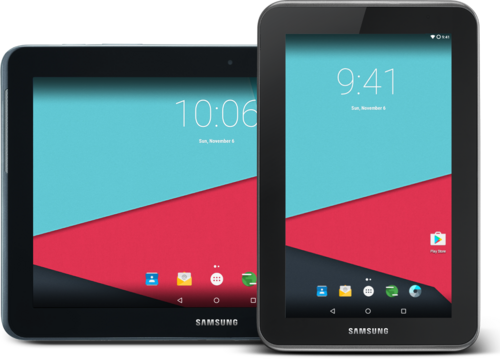
Released Apr 2012. Support looks quiet — check the build dates below before relying on it.
Hardware
- SoC
- TI OMAP4430
- CPU
- Cortex-A9
- GPU
- PowerVR SGX540
- Architecture
- arm
- RAM
- 1 GB
- Storage
- 8/16/32 GB
- Screen
- 10.1" · 800x1280 · PLS LCD
- Battery
- 7000 mAh
- Network
- 2G GSM
- Released
- Apr 2012
Sensors & features
- 3.5mm jack
- Accelerometer
- Compass
- GPS
- Gyroscope
- Light sensor
- Proximity sensor
- microSD slot
Specs from the LineageOS wiki (CC BY-SA 3.0).
ROMs · 01
The Samsung Galaxy Tab 2 10.1 (GSM) (codename espresso3g) has 1 tracked custom ROM on CustomDroid — including LineageOS. Each listing links to the project's own download and install guide, and was last checked against the projects' catalogues on 6 Nov 2026.
- LineageOSDiscontinued
installs with Samsung download mode
per LineageOS's install guide for this device — follow it, not this summary
checked 6 Nov 2026
RSS feed — subscribe to get new Samsung Galaxy Tab 2 10.1 (GSM) builds in your reader · JSON
Before you flash
Flashing generally means unlocking the bootloader, booting a custom recovery, wiping, then installing the ROM. Exact steps differ per device and ROM, so follow the Install guide for the one you pick, and back up first. Check what can break (banking apps, DRM, carrier features) and how to get back to stock before you start. Why flash a custom ROM · All guides
Custom recovery for this device: TWRP. Flash the one your chosen ROM's guide asks for — common recovery errors.
LineageOS publishes a step-by-step install guide for this device: wiki.lineageos.org/devices/espresso3g
Timeline
- Sept 2026LineageOS first tracked
Dates show when CustomDroid first indexed each ROM for this device, not when support originally launched.
ROM availability and links come from each project. CustomDroid indexes builds, it doesn't mirror them — always download from the official project, verify the file's hash/signature, confirm it matches your exact codename, and back up before flashing.