
Motorola moto g82 5G
rhodepalso sold as moto g82 5G · XT2169-2 · XT2225-2 · moto g71 5G
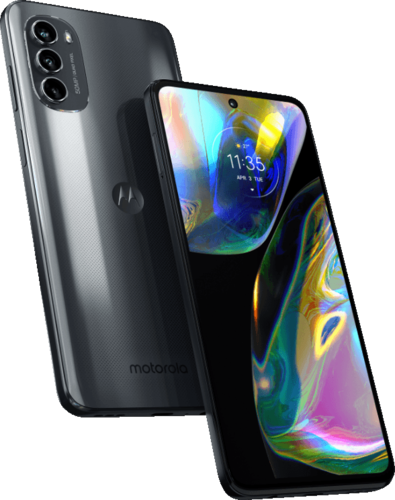
Released Jun 2022, newest ROM build 5 days ago (3 ROMs still current). A phone that still gets updates keeps going long after its manufacturer stops.
Want to go back to stock? Motorola's Software Fix tool lets you reinstall the official software on the Motorola moto g82 5G. See restoring stock firmware before you need it.
Hardware
- SoC
- Qualcomm SM6375 Snapdragon 695
- CPU
- Kryo 660
- GPU
- Qualcomm Adreno 619
- Architecture
- arm64
- RAM
- 6/8 GB LPDDR4X
- Storage
- 128 GB UFS2.2
- Screen
- 6.6" · 1080x2400 · AMOLED
- Battery
- 5000 mAh
- Network
- 2G GSM · 3G UMTS · 4G LTE · 5G NR
- Released
- Jun 2022
Sensors & features
- 3.5mm jack
- A-GPS
- Accelerometer
- Compass
- Dual SIM
- Fingerprint reader
- Galileo
- GLONASS
- GPS
- Gyroscope
- Light sensor
- NFC
- Proximity sensor
- Stereo speakers
- USB OTG
- microSD slot
Specs from the LineageOS wiki (CC BY-SA 3.0).
ROMs · 05
The Motorola moto g82 5G (codename rhodep) has 5 tracked custom ROMs on CustomDroid — including LineageOS, /e/OS, LineageOS for microG and 2 more, running up to Android 17. Each listing links to the project's own download and install guide, and was last checked against the projects' catalogues on 5 Nov 2026.
Motorola's security updates for this model ended in May 2025, so a maintained custom ROM is how it still gets Android security patches. endoflife.date · what end-of-life means
Tick “compare” on two or three builds to see them side by side.
- LineageOSOfficialandroid 17v24.0by AnandSuresh02, sevenrock, Deivid Ignacio Parra (Deivid21)A/B devicewiki.lineageos.org
installs with fastboot
before recovery: flash dtbo, vendor_boot from the build
per LineageOS's install guide for this device — follow it, not this summary
last build 1 Nov 2026 · checked 5 Nov 2026 - /e/OSUnofficialprivacy-focusedde-GoogledmicroGlast build 28 Oct 2026 · checked 5 Nov 2026
- LineageOS for microGOfficialde-GoogledmicroGlast build 24 Oct 2026 · checked 5 Nov 2026
- LMODroidOfficiallast build 19 Dec 2025 — over 6 months ago · checked 5 Nov 2026
- Project MatrixxOfficiallast build 19 Oct 2024 — over 6 months ago · checked 5 Nov 2026
RSS feed — subscribe to get new Motorola moto g82 5G builds in your reader · JSON
Before you flash
Flashing generally means unlocking the bootloader, booting a custom recovery, wiping, then installing the ROM. Exact steps differ per device and ROM, so follow the Install guide for the one you pick, and back up first. Check what can break (banking apps, DRM, carrier features) and how to get back to stock before you start. Why flash a custom ROM · All guides
Custom recovery for this device: TWRP. Flash the one your chosen ROM's guide asks for — common recovery errors.
This is a Qualcomm device, so on Windows you'll want the Google USB Driver (and QDLoader 9008 to unbrick) before your computer will see it in fastboot. Which USB drivers you need.
LineageOS publishes a step-by-step install guide for this device: wiki.lineageos.org/devices/rhodep
Timeline
- Jul 2026LineageOS, /e/OS, Project Matrixx first tracked
- Sept 2026LMODroid, LineageOS for microG first tracked
Dates show when CustomDroid first indexed each ROM for this device, not when support originally launched.
ROM availability and links come from each project. CustomDroid indexes builds, it doesn't mirror them — always download from the official project, verify the file's hash/signature, confirm it matches your exact codename, and back up before flashing.